Information
How to get set up
A step-by-step guide to creating an account and managing your mooring online.
Step 1: Create your account
Find the "Register" button and click it. Fill in the form with your information, then click "Create an account".
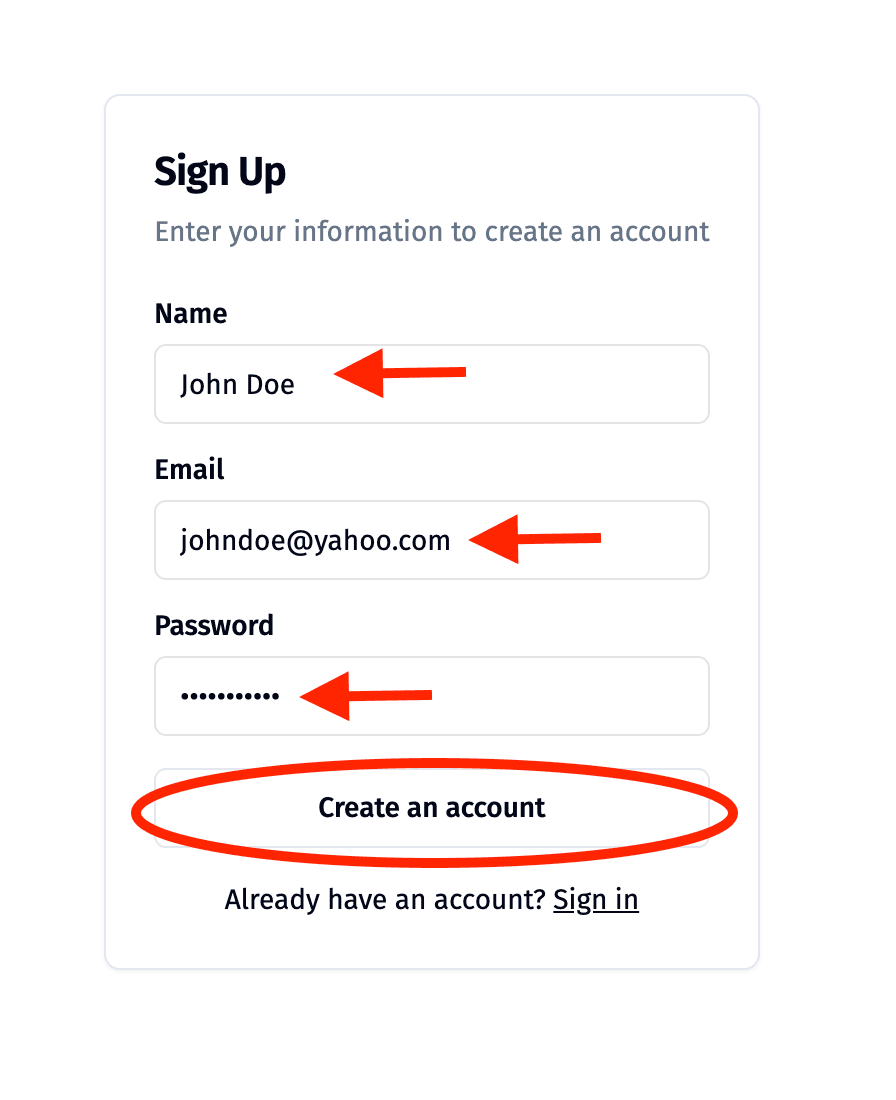
Additional information
If you have given your email address to Tayvallich Bay Association before, please use the same address when you register.Step 2: Open the Manage Mooring page
You can reach this page from the home page, or from the navigation bar at the top of the screen.
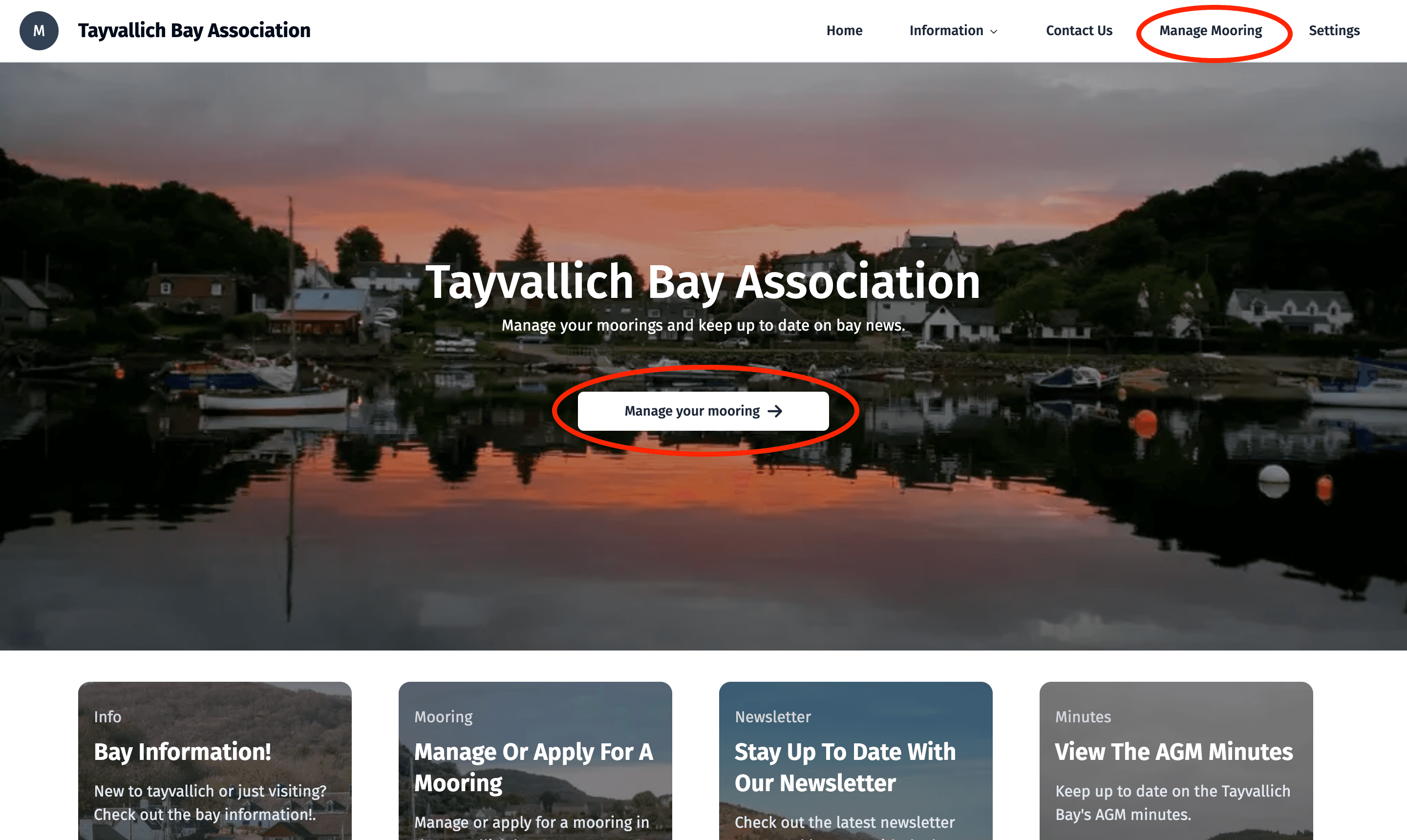
Additional information
Still cannot find it? Here is a link: Manage Mooring
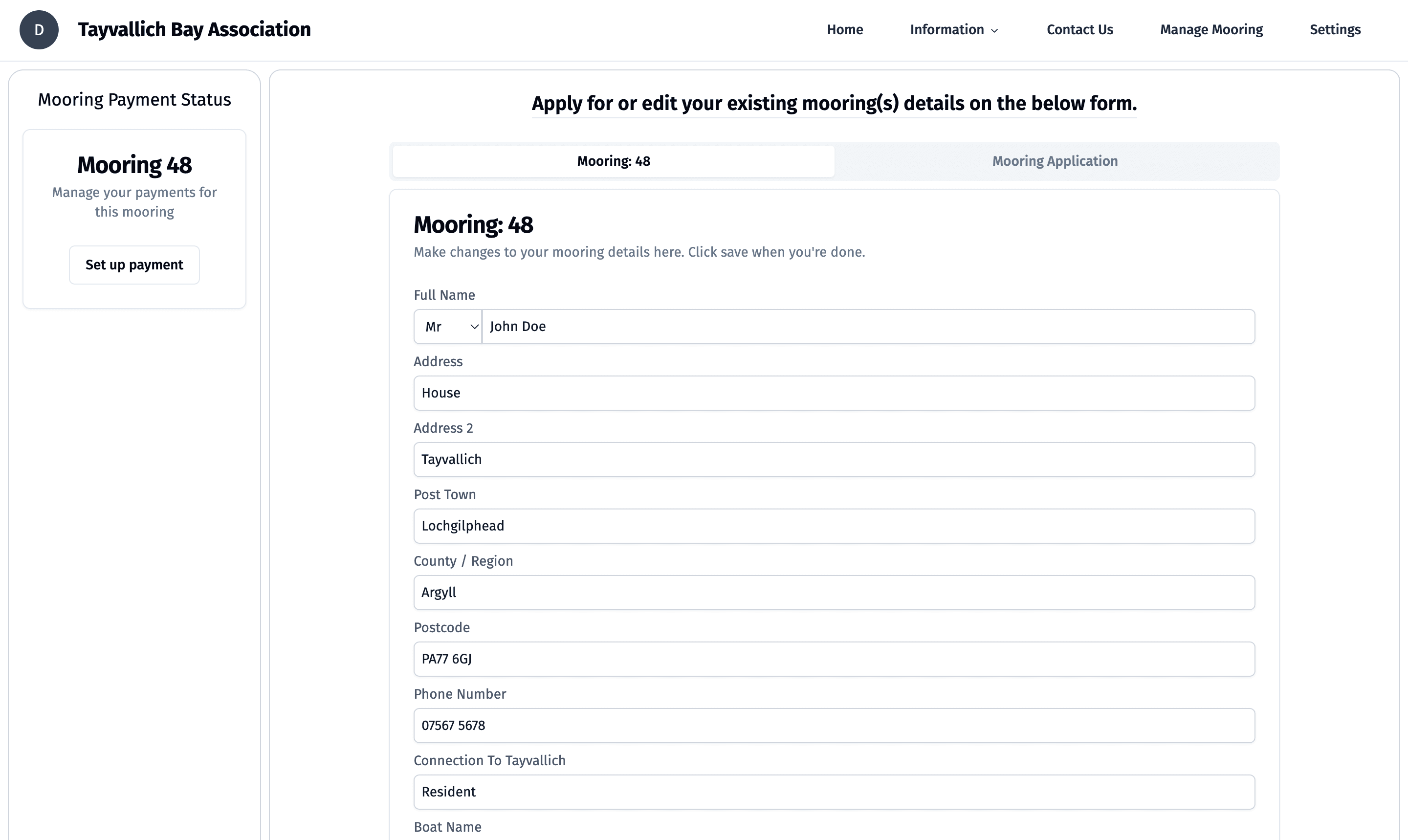
Step 3: Check your mooring status
If your registered email address matches a mooring in our system, the mooring shows up automatically. Here you can change details such as your address and the boat kept.
If your mooring does not appear after you create an account, or you want to apply for one, go to the next step.
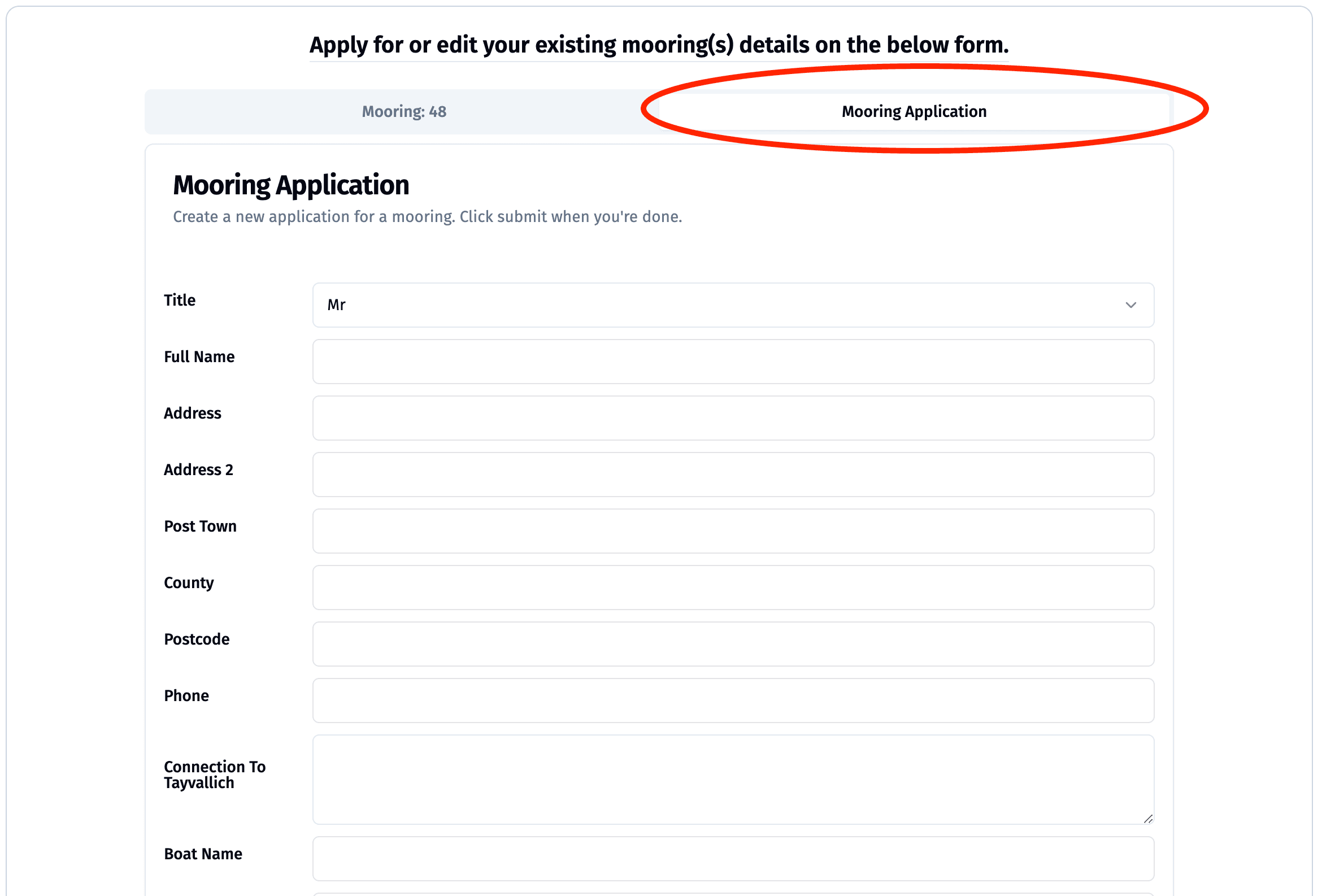
Step 4: Fill in the application form
If your moorings are already there, skip this step. If not, fill in the form with the required information and click submit. The committee reviews the application and tells you the result by email.